Note: This function is performed from the Invoices and Invoice Reconciliation screens only.
Select the Select check box for the invoices you want to download.
Click
Download.
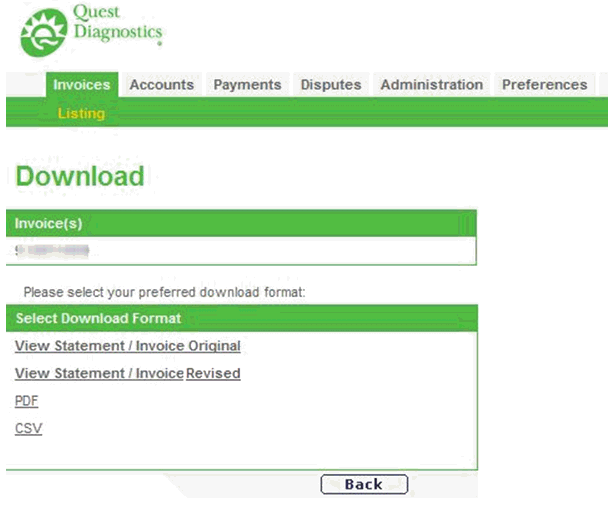
Result: The Download screen displays with the invoice
number selected.
Select
the View Statement/Invoice Original
link to view the original client statement.
OR
Select the View Statement/Invoice
Revised link to view a revised statement, if applicable.
OR
Select the PDF link to download
an updated eInvoice version.
OR
Select CSV if you want to sort
or analyze the data.
For PDF or CSV, click Open, then save the file to your PC.
Click
Back to return to the Invoices
page.